Building a RESTful API with Node.js and Express
A Step-by-Step Guide
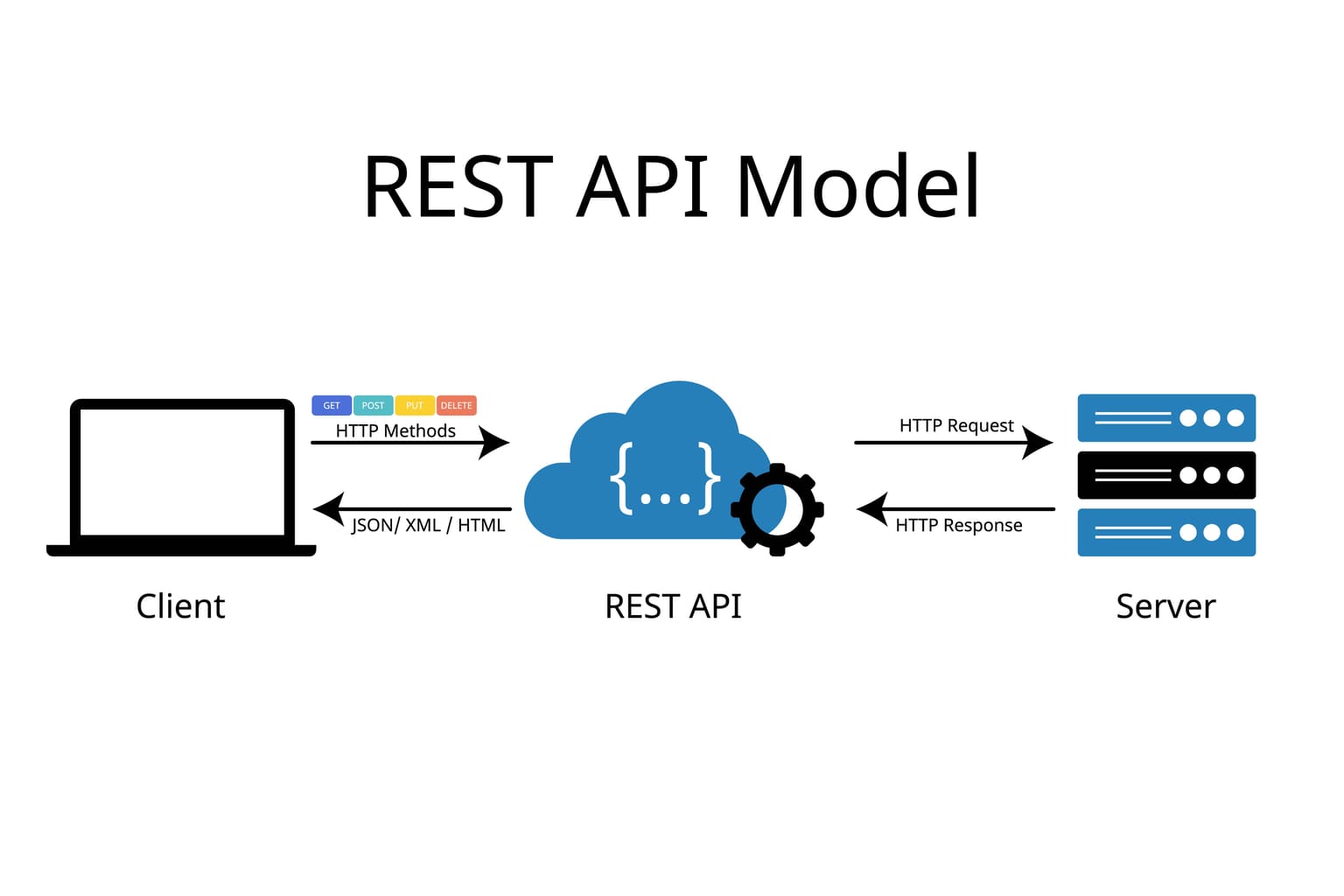
In today’s interconnected world, APIs (Application Programming Interfaces) are the backbone of modern web development. RESTful APIs, in particular, are popular for their simplicity and compatibility across platforms. In this guide, we’ll explore how to create a basic RESTful API using Node.js and Express, complete with examples and instructions to get you started.
What is a RESTful API?
A RESTful API is a web service that follows the principles of REST (Representational State Transfer). It uses HTTP methods like GET, POST, PUT, and DELETE to perform CRUD (Create, Read, Update, Delete) operations on resources, typically represented in JSON format.
Why Choose Node.js and Express?
Node.js is a JavaScript runtime that enables fast, scalable server-side applications. Coupled with Express, a lightweight web application framework, it provides a simple yet powerful way to build APIs.
Getting Started: Setting Up Your Environment
1. Install Node.js:
If you haven’t already, download and install Node.js from nodejs.org.
2. Initialize Your Project:
Open a terminal and create a new project directory:
mkdir rest-api-example
cd rest-api-example
npm init -y
This will create a package.json file to manage your project dependencies.
3. Install Express:
Run the following command to add Express:
npm install expressCreating the API
Now that your environment is ready, let’s create the API.
1. Set Up Your Entry File:
Create an index.js file in your project directory. Open it in your code editor and write the following code:
const express = require('express');
const app = express();
const PORT = 3000;

// Middleware to parse JSON requests
app.use(express.json());

// Start the server
app.listen(PORT, () => {
    console.log(`Server running on http://localhost:${PORT}`);
});
This code initializes an Express app that listens for requests on port 3000.
2. Define Your Routes:
Add routes to handle basic CRUD operations. Below is an example with a simple in-memory data store:
const items = []; // Sample data store

// GET: Fetch all items
app.get('/items', (req, res) => {
    res.json(items);
});

// POST: Add a new item
app.post('/items', (req, res) => {
    const newItem = req.body;
    items.push(newItem);
    res.status(201).json(newItem);
});

// PUT: Update an existing item
app.put('/items/:id', (req, res) => {
    const { id } = req.params;
    const updatedItem = req.body;
    const index = items.findIndex(item => item.id === id);
    if (index === -1) return res.status(404).json({ message: 'Item not found' });
    items[index] = updatedItem;
    res.json(updatedItem);
});

// DELETE: Remove an item
app.delete('/items/:id', (req, res) => {
    const { id } = req.params;
    const index = items.findIndex(item => item.id === id);
    if (index === -1) return res.status(404).json({ message: 'Item not found' });
    items.splice(index, 1);
    res.status(204).send();
});
3. Start the Server:
To start the Express server, open a terminal, navigate to your project directory, and run:
node index.jsYou should see Server running on http://localhost:3000 in the terminal.
Testing Your API
You can test the API using tools like Postman, Insomnia, or curl. Here are some examples:
• GET Request:
curl http://localhost:3000/items• POST Request:
curl -X POST http://localhost:3000/items \
-H "Content-Type: application/json" \
-d '{"id": "1", "name": "Sample Item"}'
Enhancing Your API
Now that your basic API is up and running, you can add more features:
• Database Integration: Replace the in-memory items array with a database like MongoDB or PostgreSQL.
• Authentication: Use libraries like jsonwebtoken for securing your API.
• Validation: Validate incoming data with libraries like joi or express-validator.
Conclusion
Creating a RESTful API with Node.js and Express is a valuable skill for any developer. With this guide, you now have a working API that can be adapted and extended for various applications. Whether you’re building a simple project or a complex system, this foundation is your first step toward success.
Need help taking your API to the next level? Let’s collaborate! Reach out to discuss your project and how I can assist in bringing it to life.